
QtEasyTier
Project Introduction
QtEasyTier is a cross-region networking tool developed based on the Qt framework, using EasyTier as its backend for creating and managing virtual network connections. It provides an intuitive graphical interface that helps users easily configure and manage virtual networks to achieve secure communication across network devices.
This project includes special adaptations for UnionTech deepin / UOS systems, adopting a native DTK-style UI, and provides a lightweight tray plugin that allows you to manage network instance configurations without opening the main program. On the DDE desktop environment, you can install the QtEasyTier DDE version for a better experience!
- Official website (documentation): qtet.cn
Project Address: (Please submit PRs on GitHub or Tencent CNB; Gitee is only a mirror repository)
- GitHub: github.com/myqfeng/qteasytier/qt-easy-tier
- CNB: cnb.cool/myqfeng/qteasytier/qt-easy-tier
- Gitee: gitee.com/qteasytier/qt-easy-tier
Screenshots
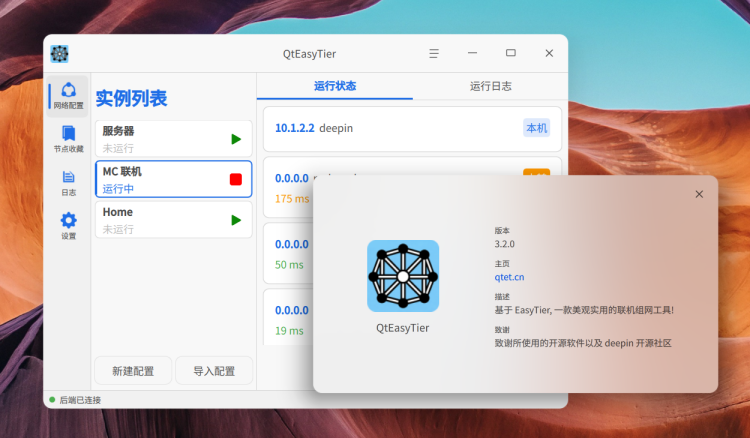
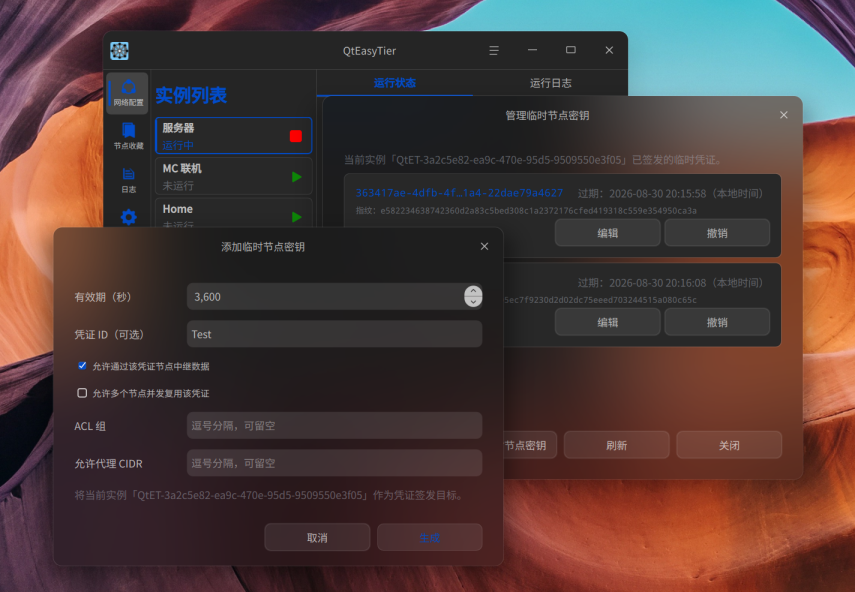
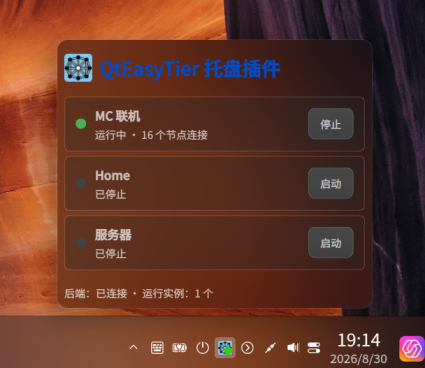
Features
- Secure mode UI support: zero-trust architecture, with features such as E2EE, Noise handshake and credential verification to enhance network security
- Favorite nodes management: maintain frequently used node information
- DDE tray plugin: deepin/UOS users can quickly view and launch network instances from the system tray plugin
Platform Support
- Windows 10/11 (1809 and above)
- GNU/Linux
- Mac is currently not supported (mainly because the author doesn't have a Macbook), but contributions from experts are welcome
Quick Start
For details, please visit the Help Documentation
- Double-click
appQtEasyTier.exeto launch the application - Click the bottom left corner to create a network configuration
- Enter basic information such as network name, username, password, or click 'Import Configuration' below
- Configure advanced options (optional)
- Click the "Run Network" button to initiate the network connection
Contact the Author
- Issue Reporting: Welcome to submit Issues and PRs
- Contact Methods:
- QQ Group: 1081241238
- Bilibili Space: space.bilibili.com/558600071
License
This project is licensed under the GPLv3 license. For details, please see the LICENSE file.